
FORGE TV
Live TV, a proper guide, movies and live scores, all on one remote.
A fast IPTV player for Android TV that works with your own M3U or Xtream Codes playlist.
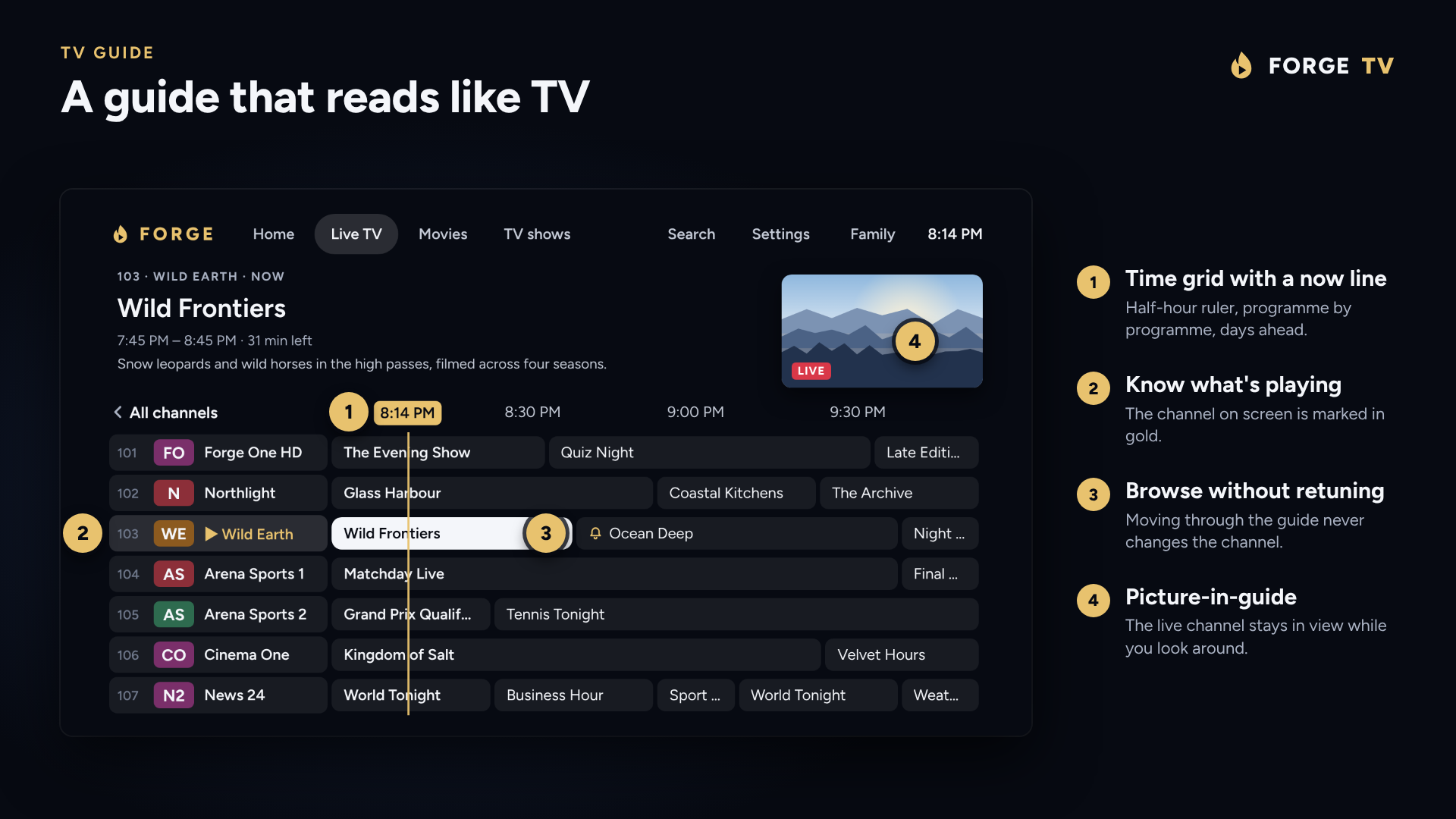
Clear focus, one press to watch, and a guide that feels like a real set-top box.
Channels start on the first frame, and the guide opens straight away. Runs on Android 6 and up.
Playlists, logins, favourites and guide data are kept on the device.
A look around
Everything on one remote
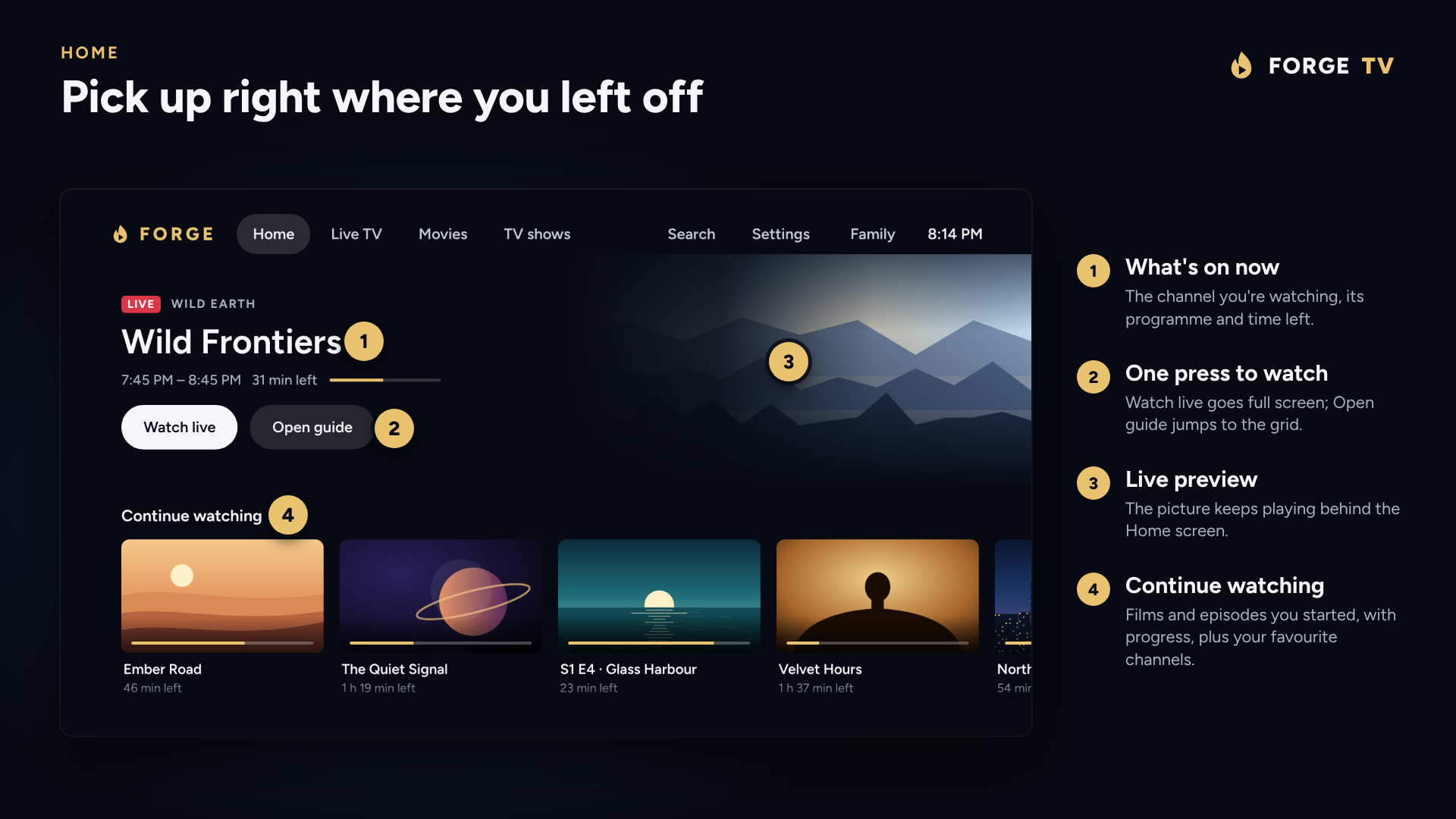
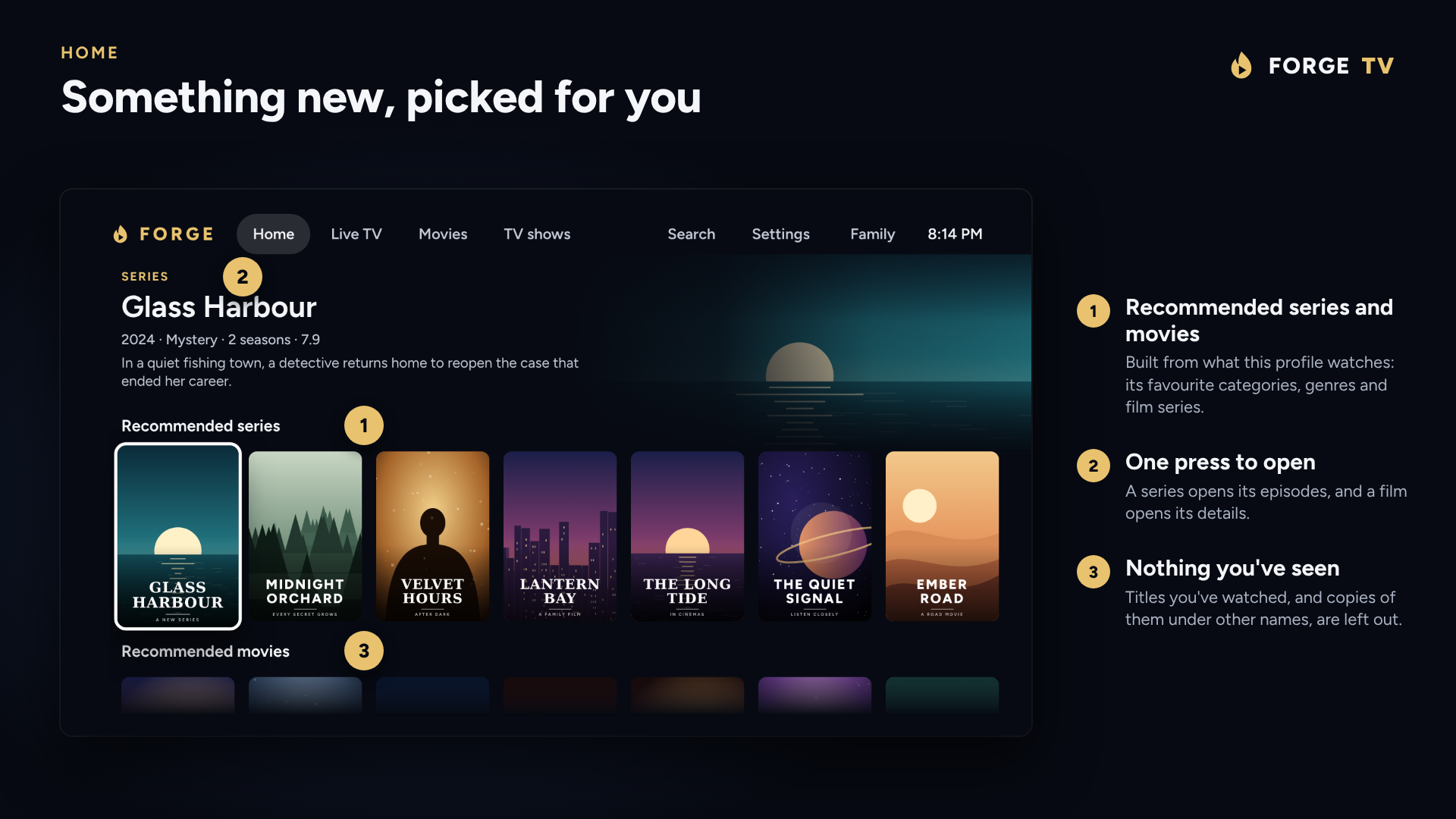
Home, recommendations, the guide, catch-up, live sports, your movie library and the player, designed for the big screen.
More screens
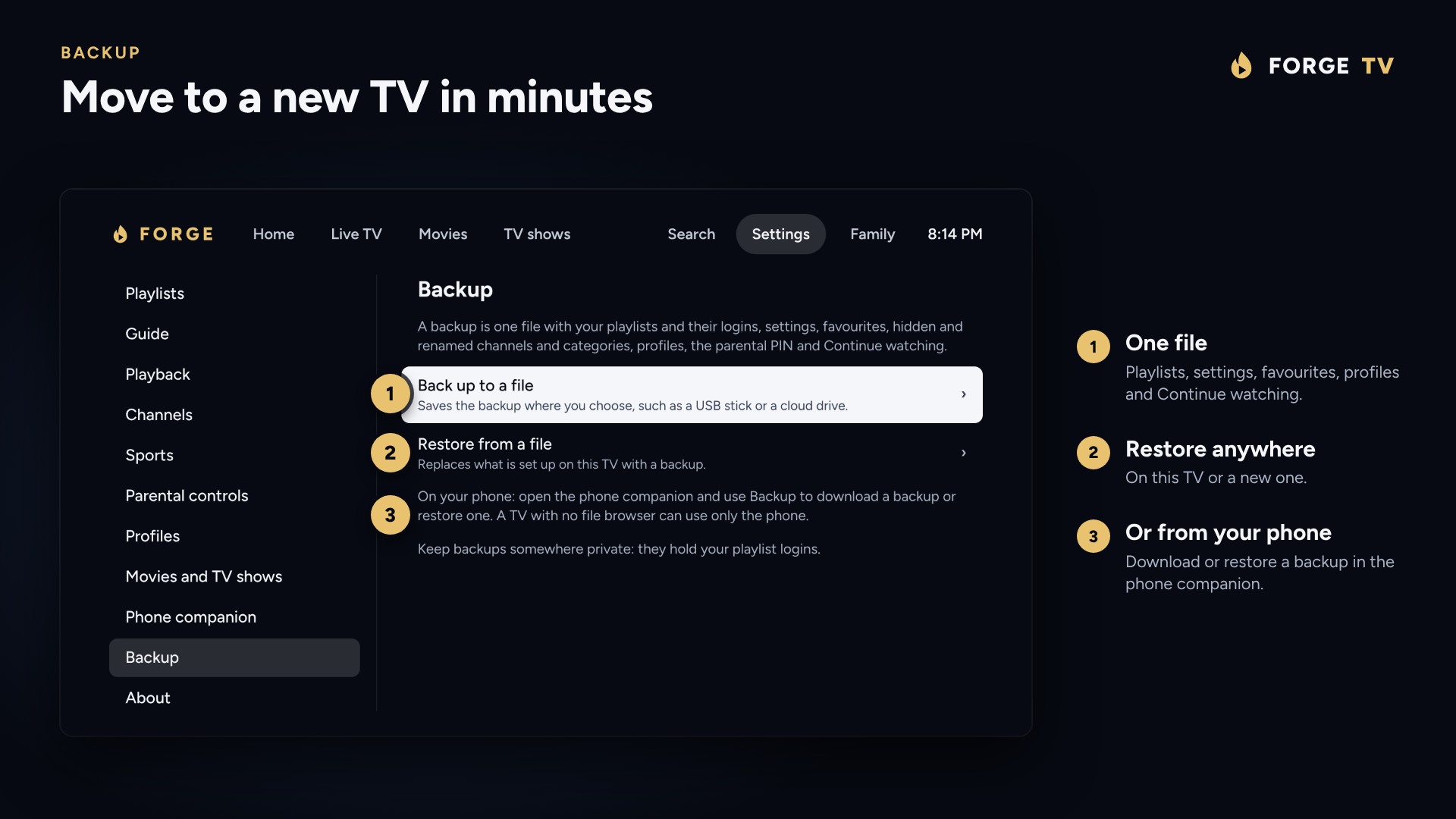
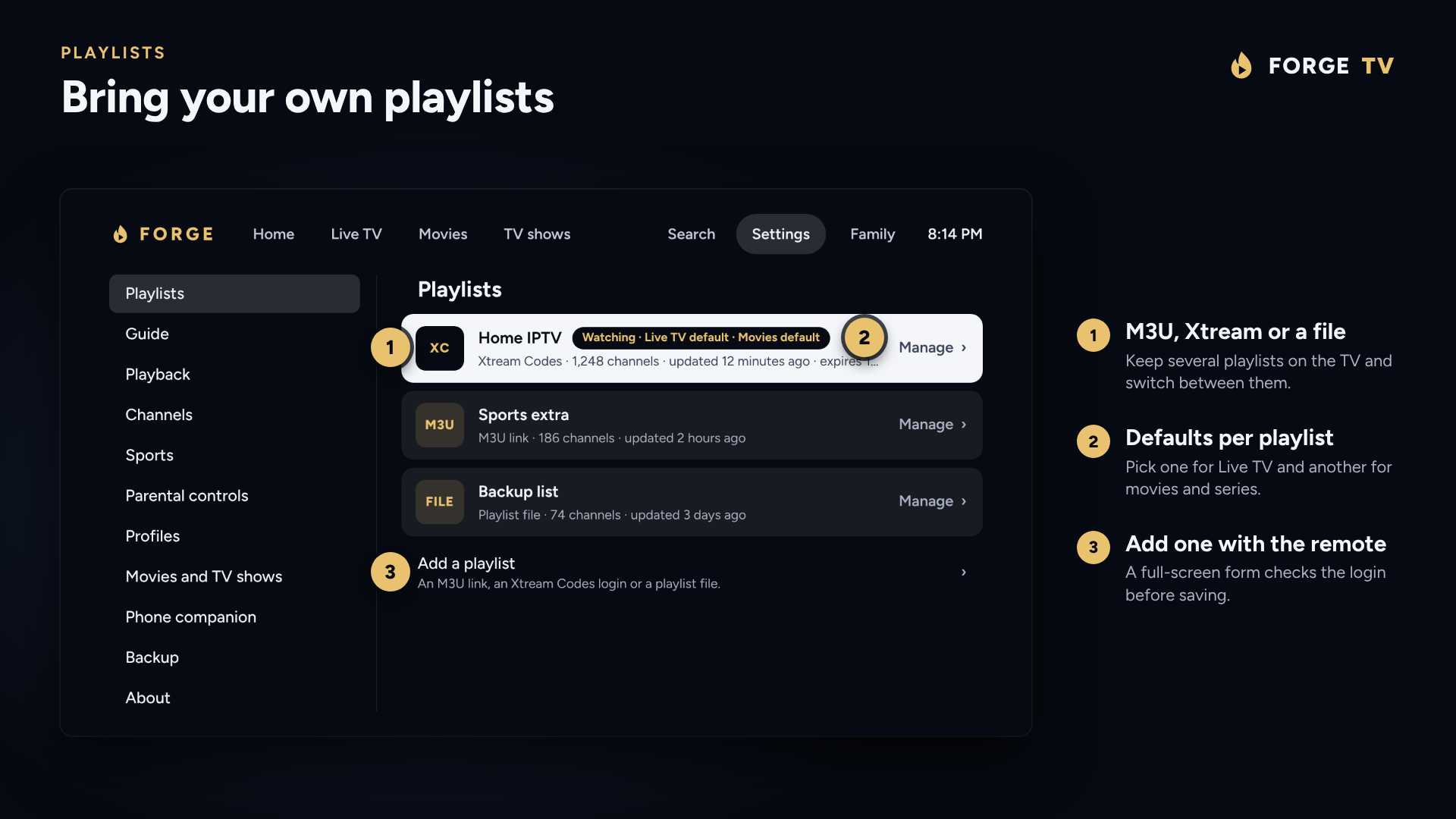
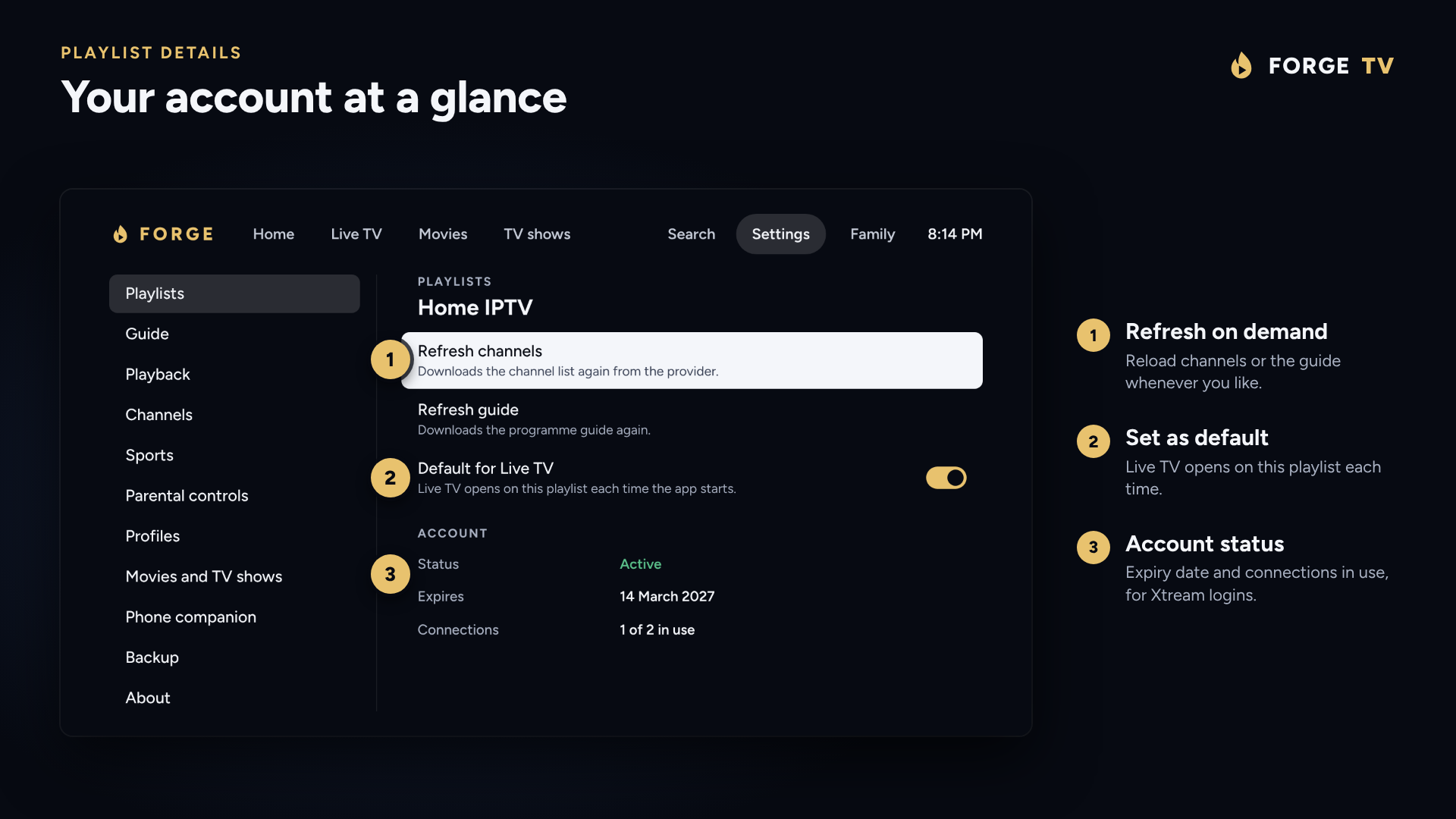
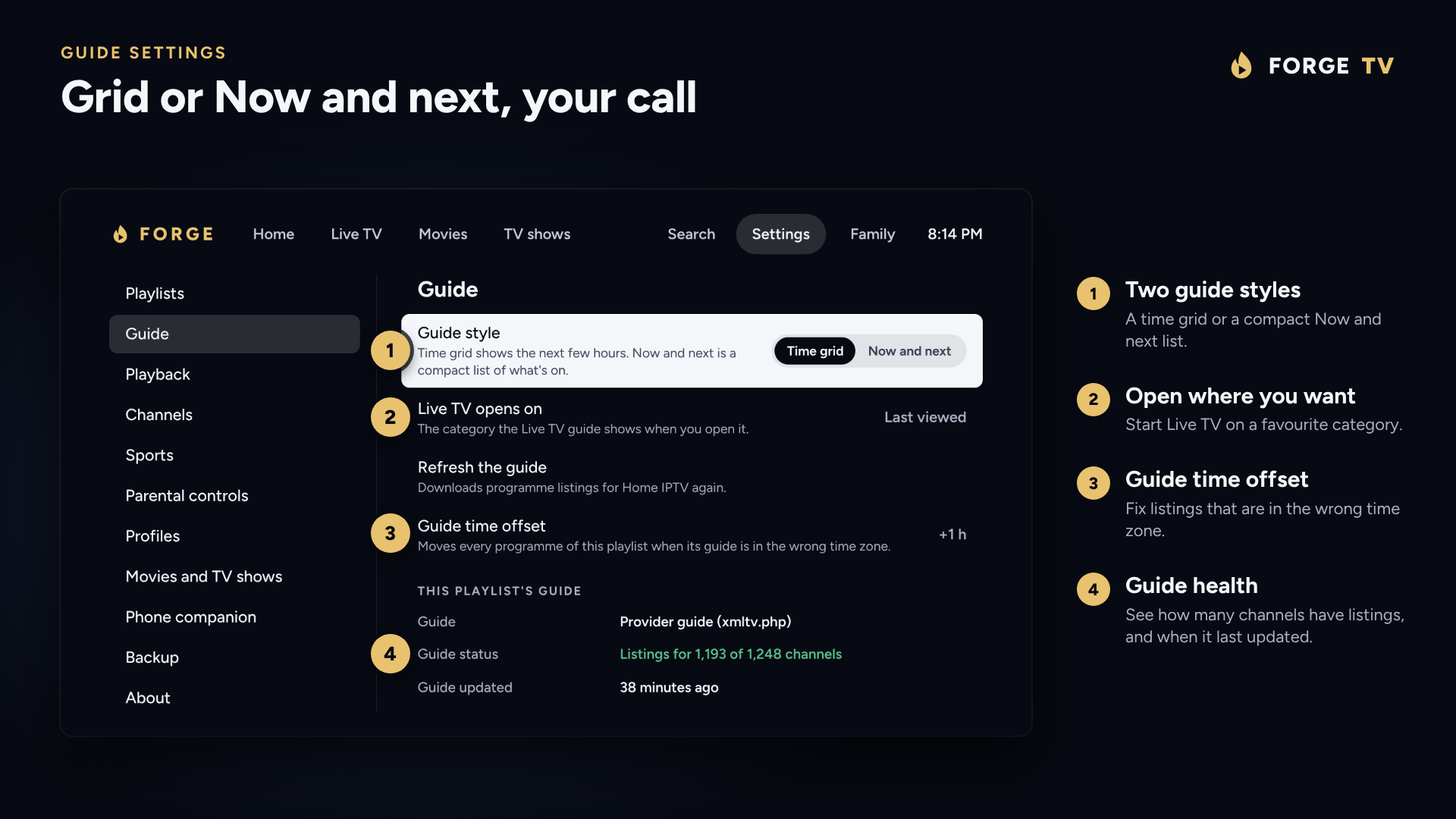
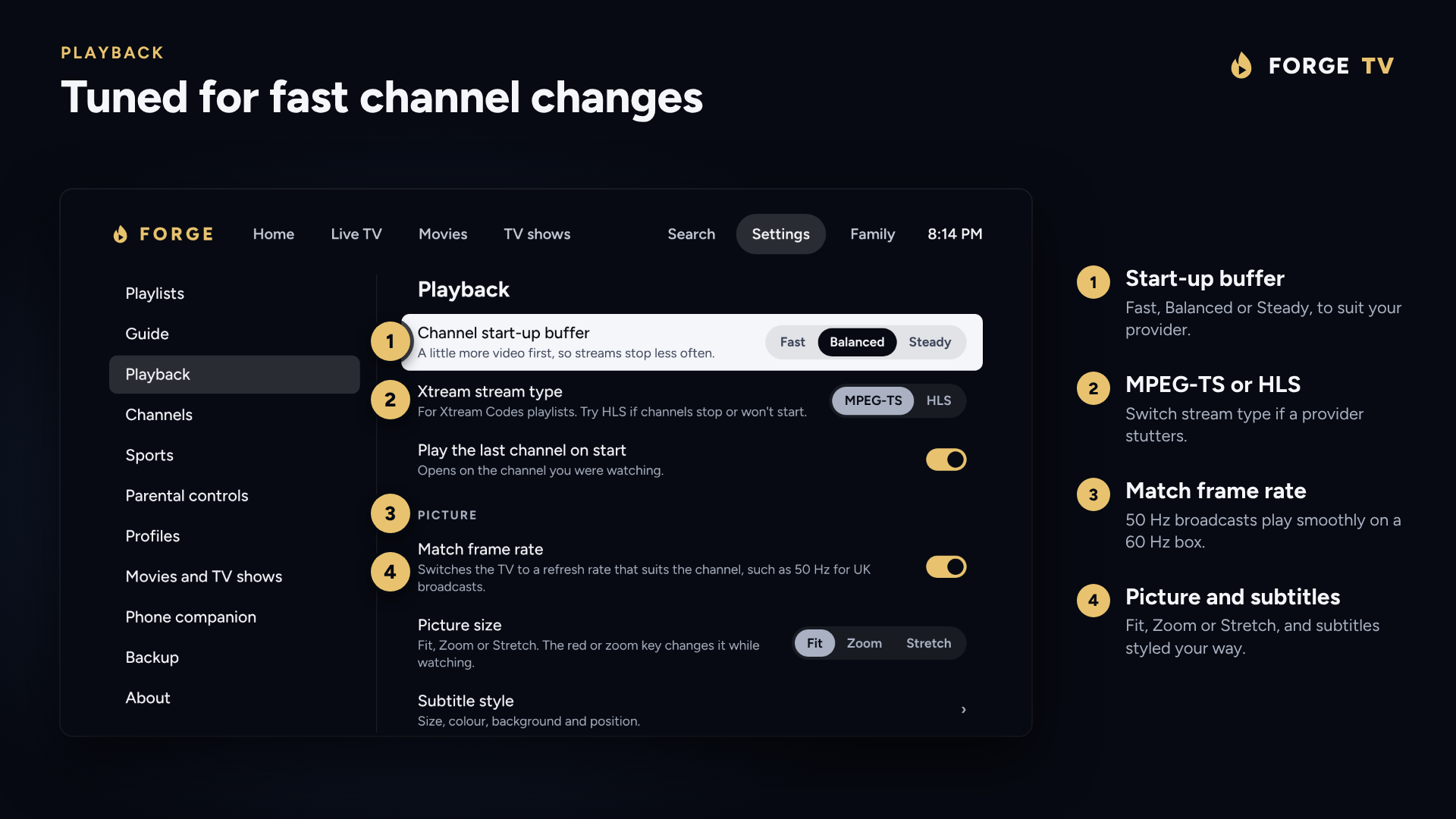
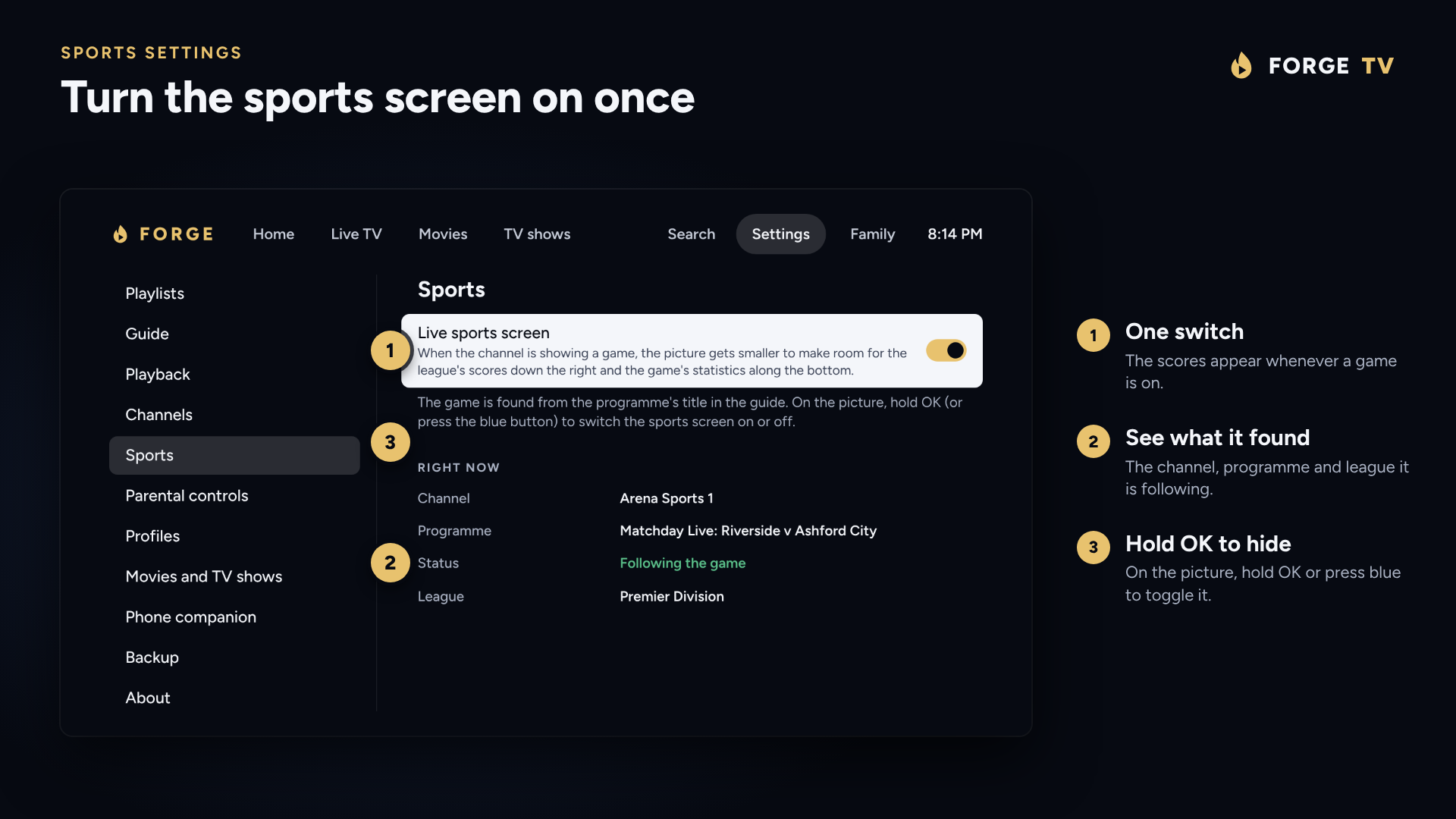
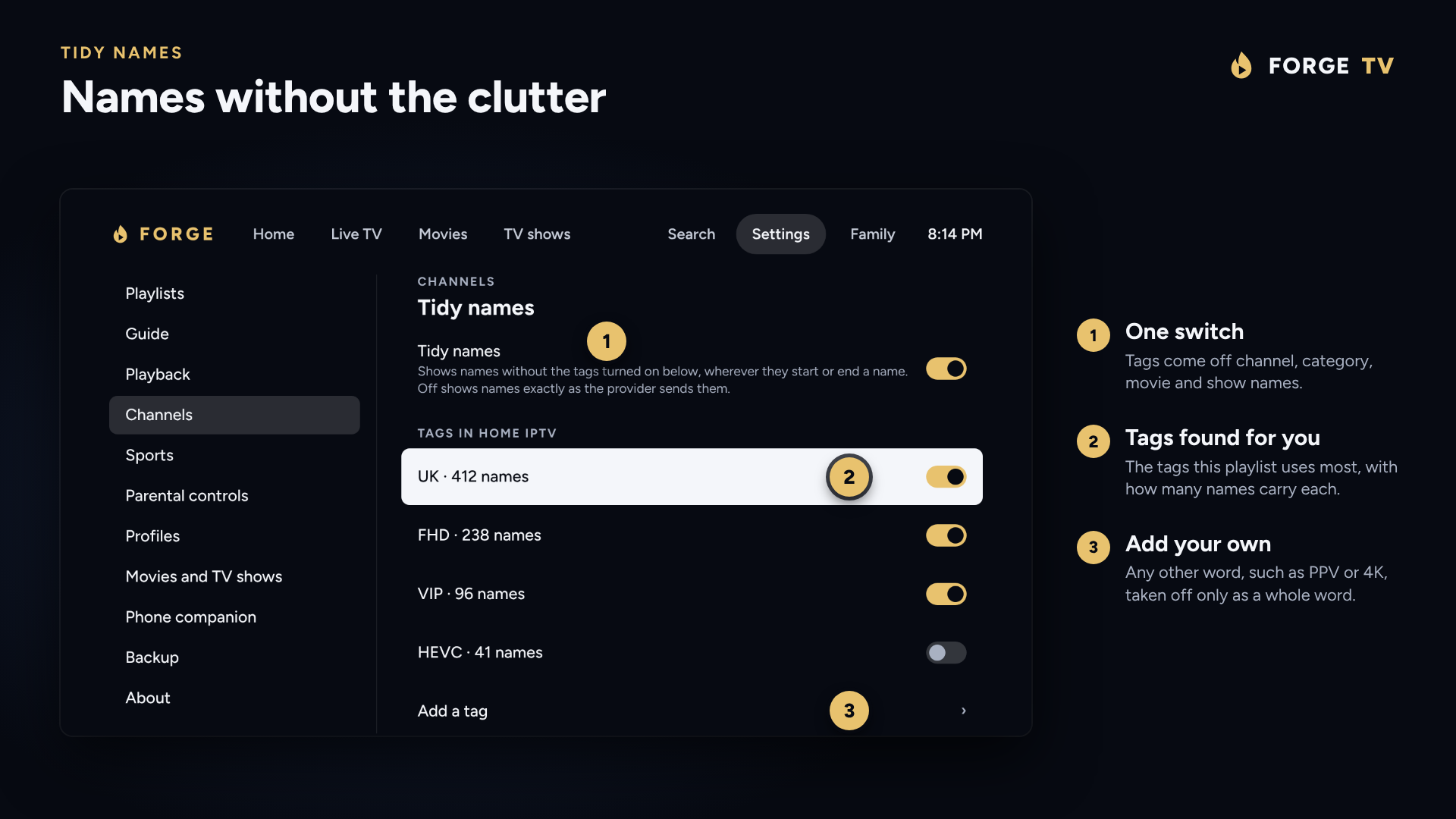
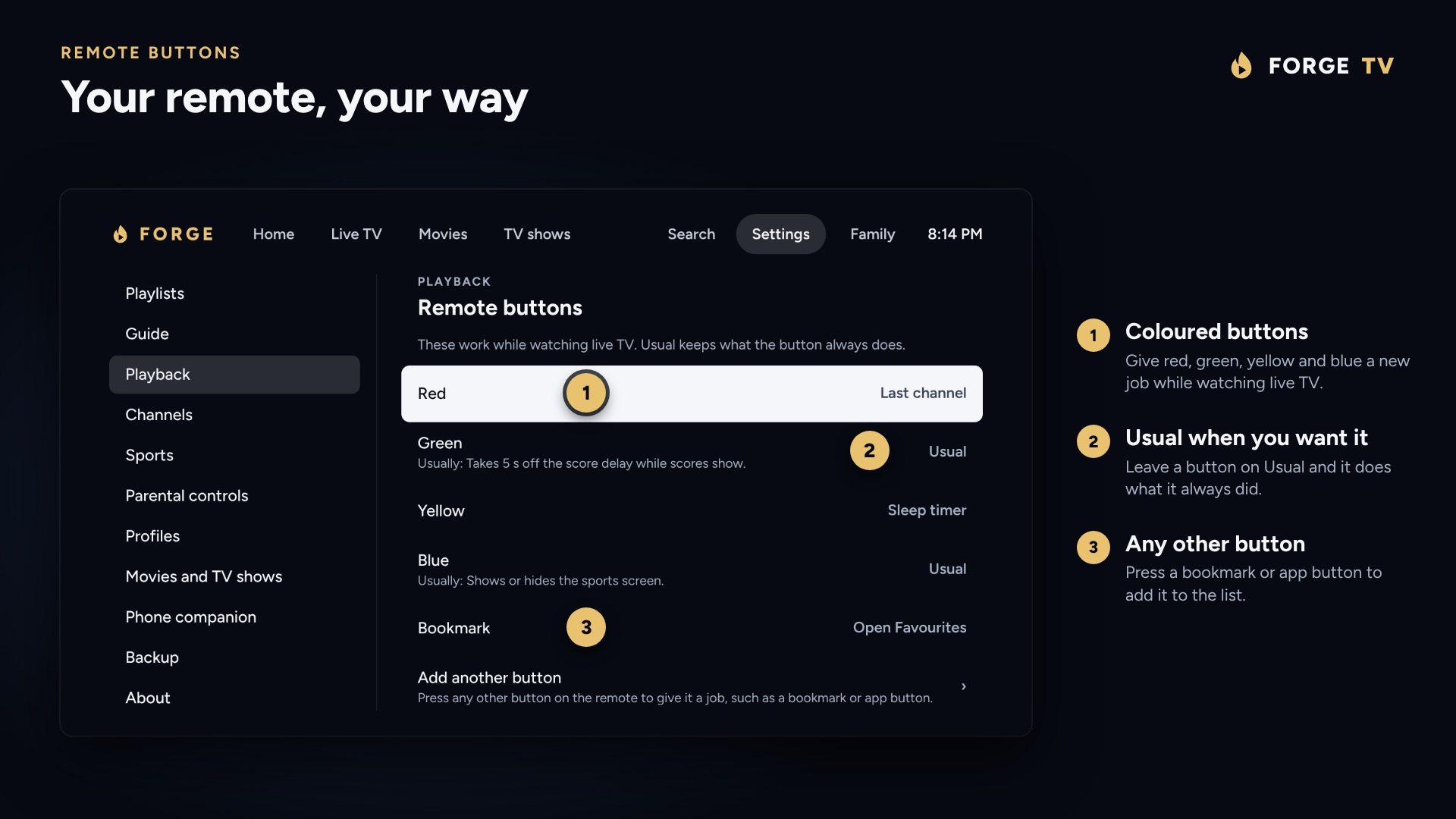
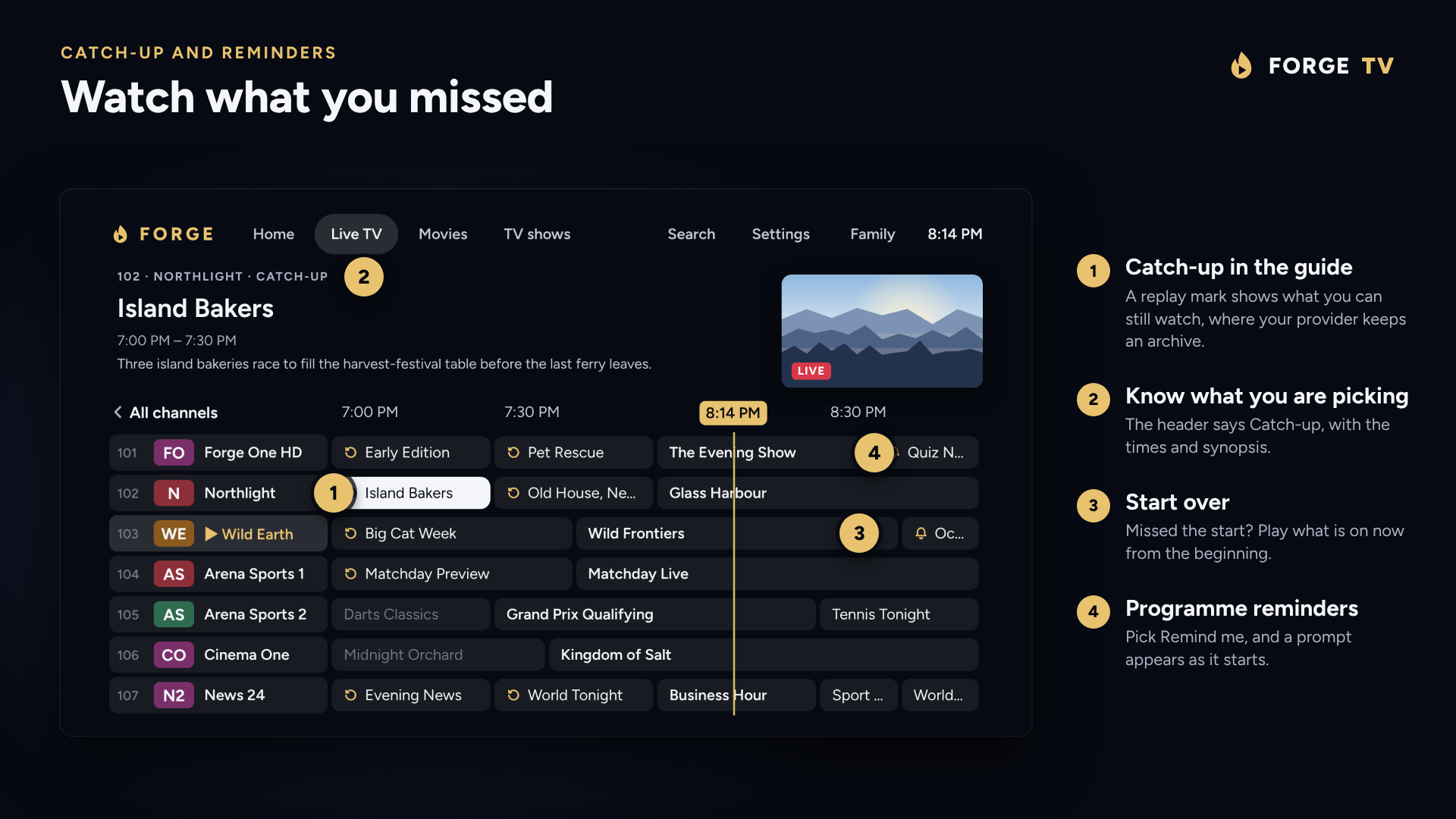
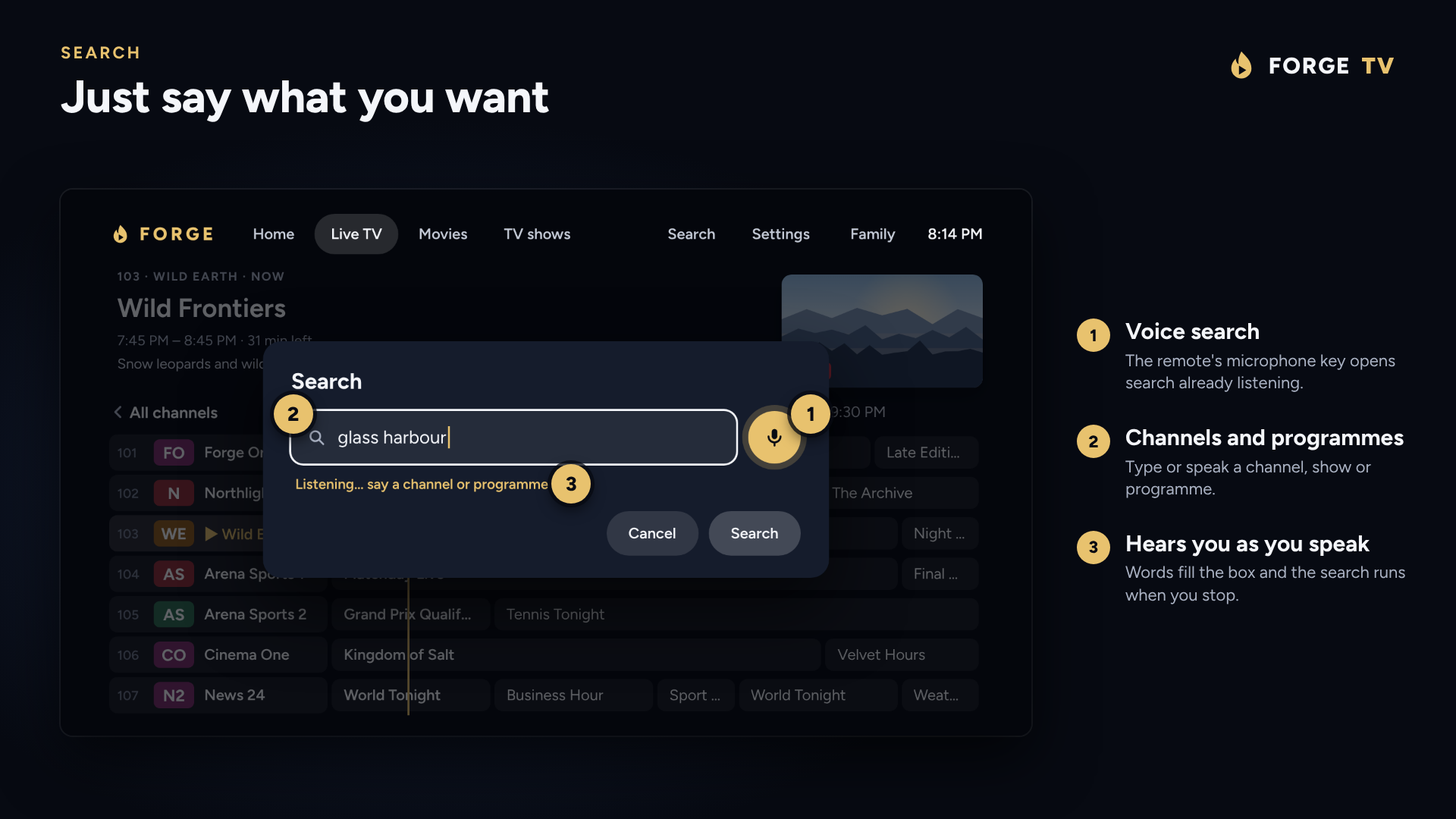
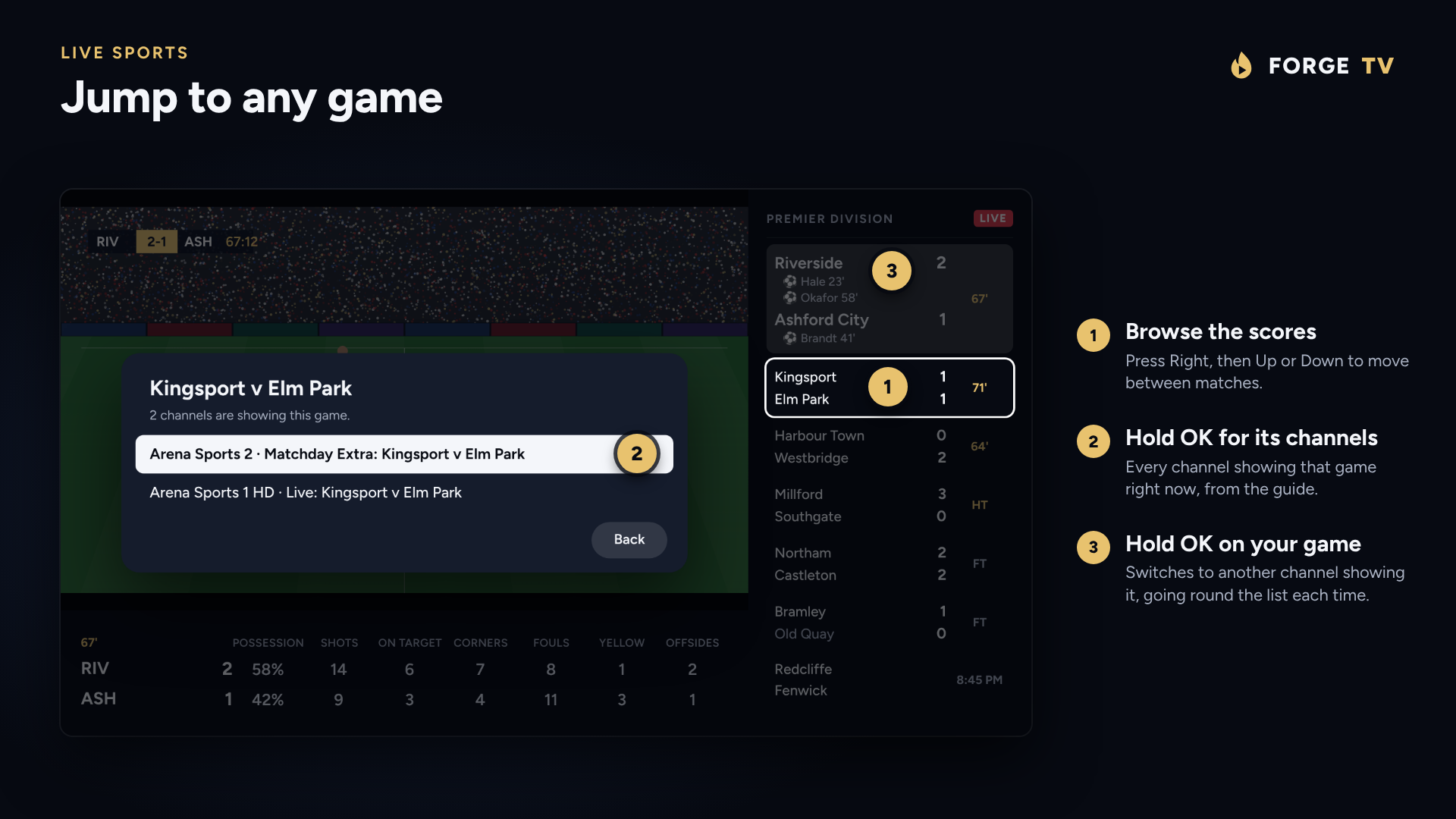
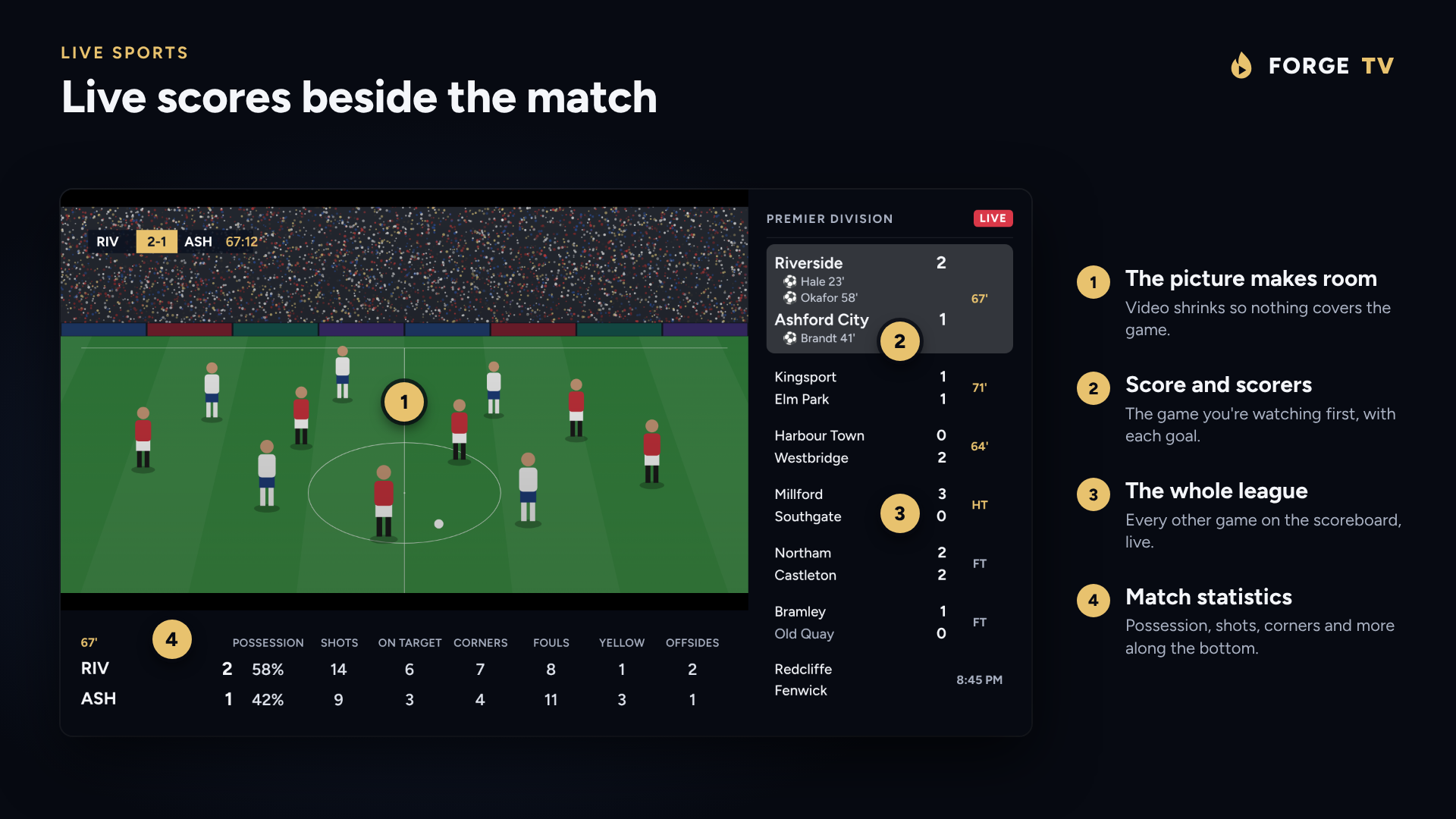
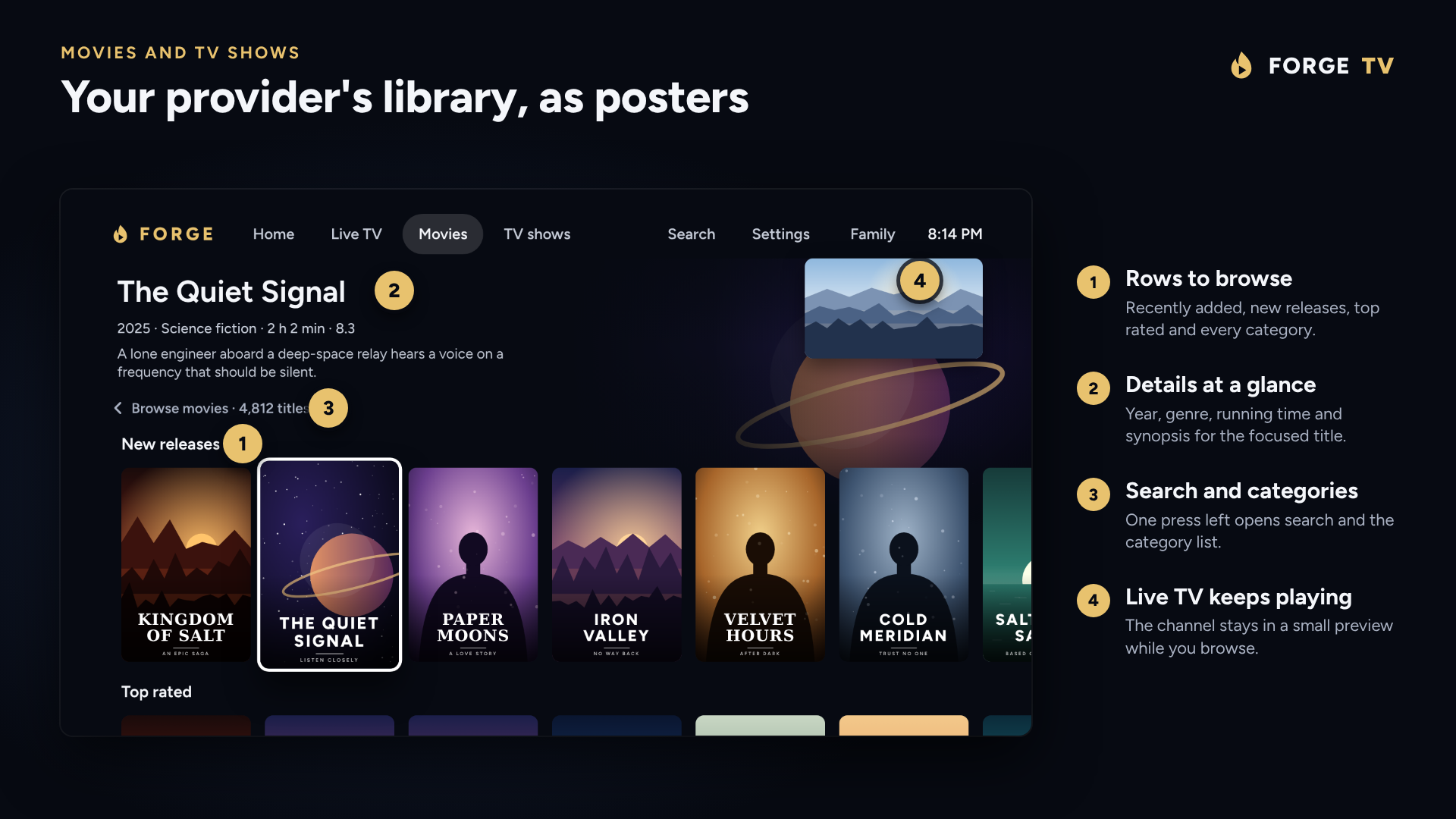
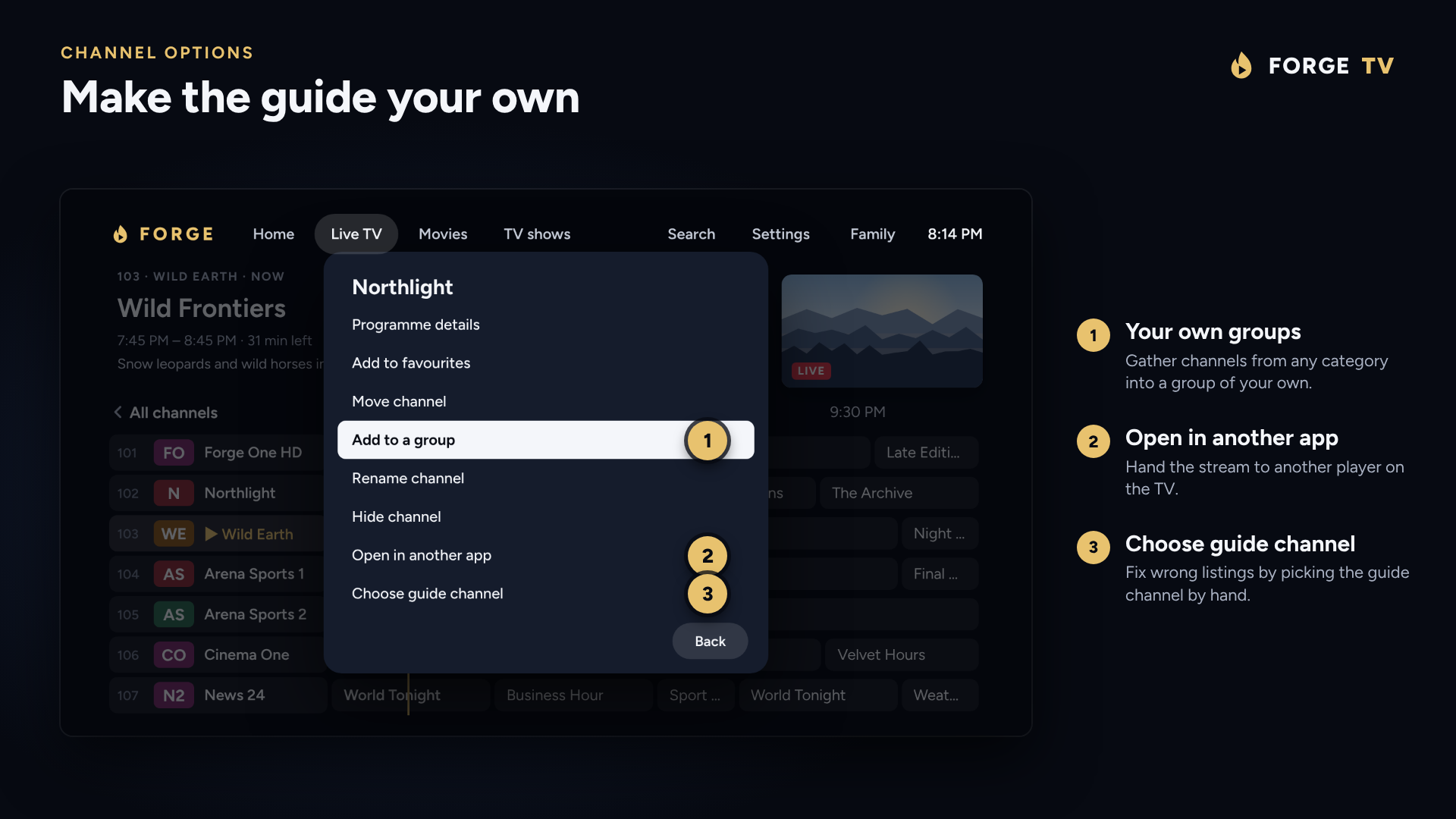
These are mockups drawn to match the app's layout, with made-up channels, programmes and titles. They are not captures from a TV.
Features
What you get
Everything you'd expect from a set-top box, plus a few things you wouldn't.
Live TV and guide
- Time-grid guide with a now line, or Now and next.
- Categories, favourites, recently watched and search.
- Voice search from the remote's microphone key.
- A time offset for guides in the wrong time zone.
- Rename, hide, reorder and lock channels.
- A second guide fills in missing listings.
Make it yours
- Tidy names takes tags like "UK |" or "FHD" off names.
- Gather channels from any category into your own groups.
- Right moves an item to the top of a list, Left to the bottom.
- Choose a channel's guide channel when listings are wrong.
Catch-up and reminders
- Watch programmes that have already been on, where your provider keeps an archive.
- Start over the programme that's on now.
- Remind me prompts you when a programme starts.
Live sports
- Live scores and scorers beside the match.
- Match statistics along the bottom.
- Detailed or Compact scoreboard, and browse other matches.
- Hold OK on a match to jump to a channel showing it.
- Score delay so results don't spoil the stream.
Movies and TV shows
- Rows of posters: new, top rated and every category.
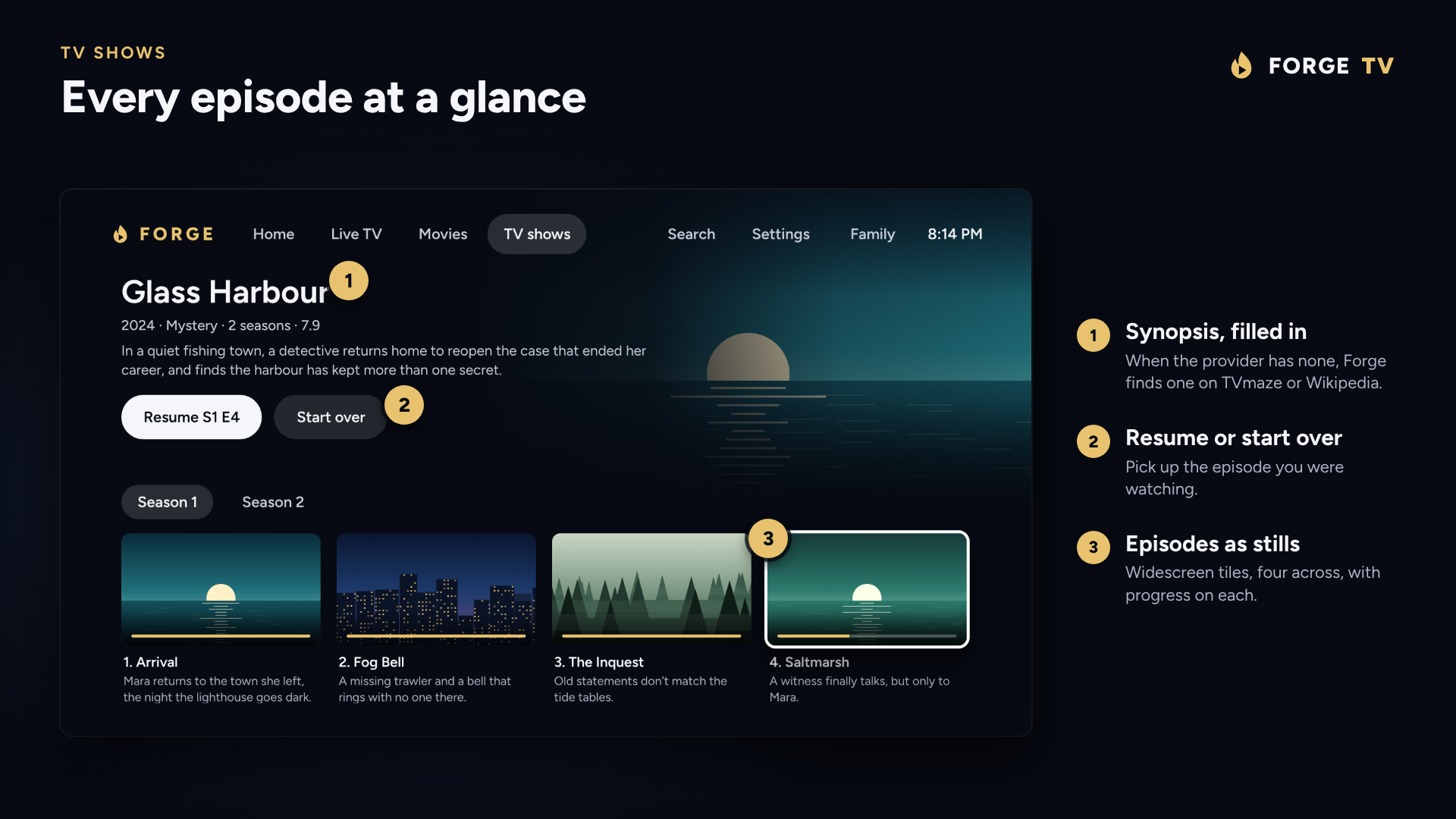
- Episodes as widescreen stills, with progress.
- Synopses filled in from TVmaze or Wikipedia.
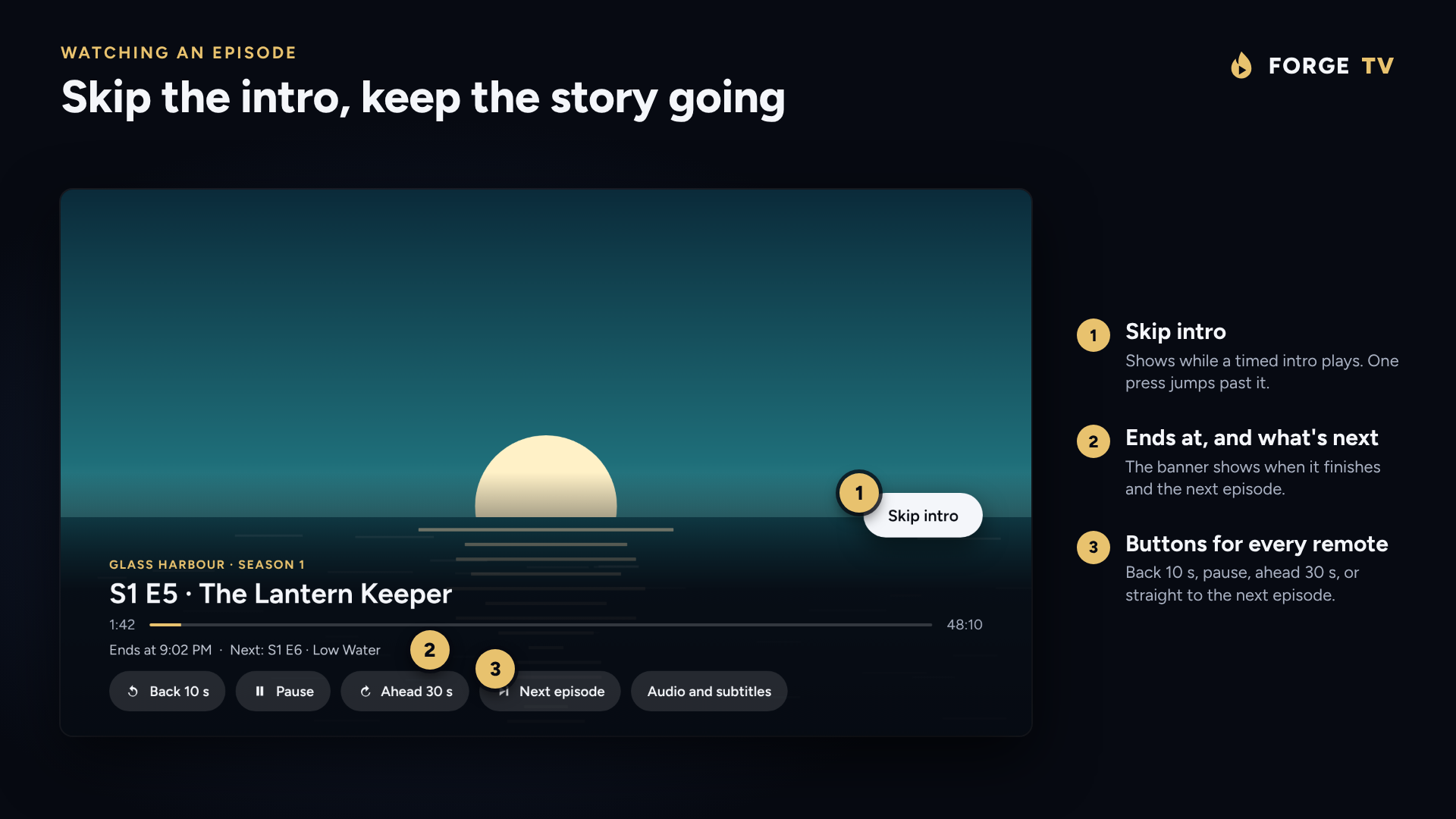
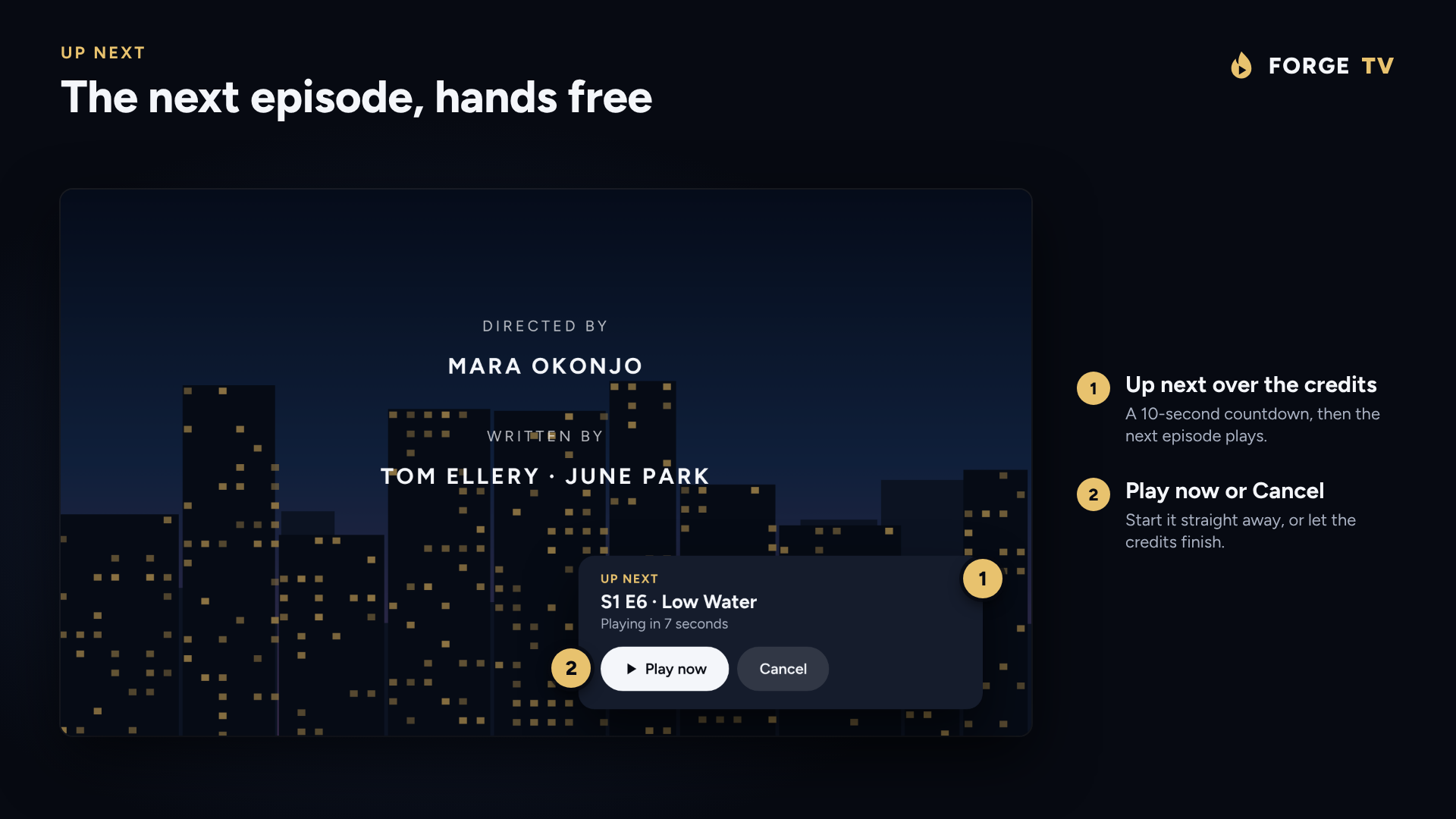
- Skip intro, and Up next over the credits.
- Recommended series and movies on Home.
Audio and subtitles
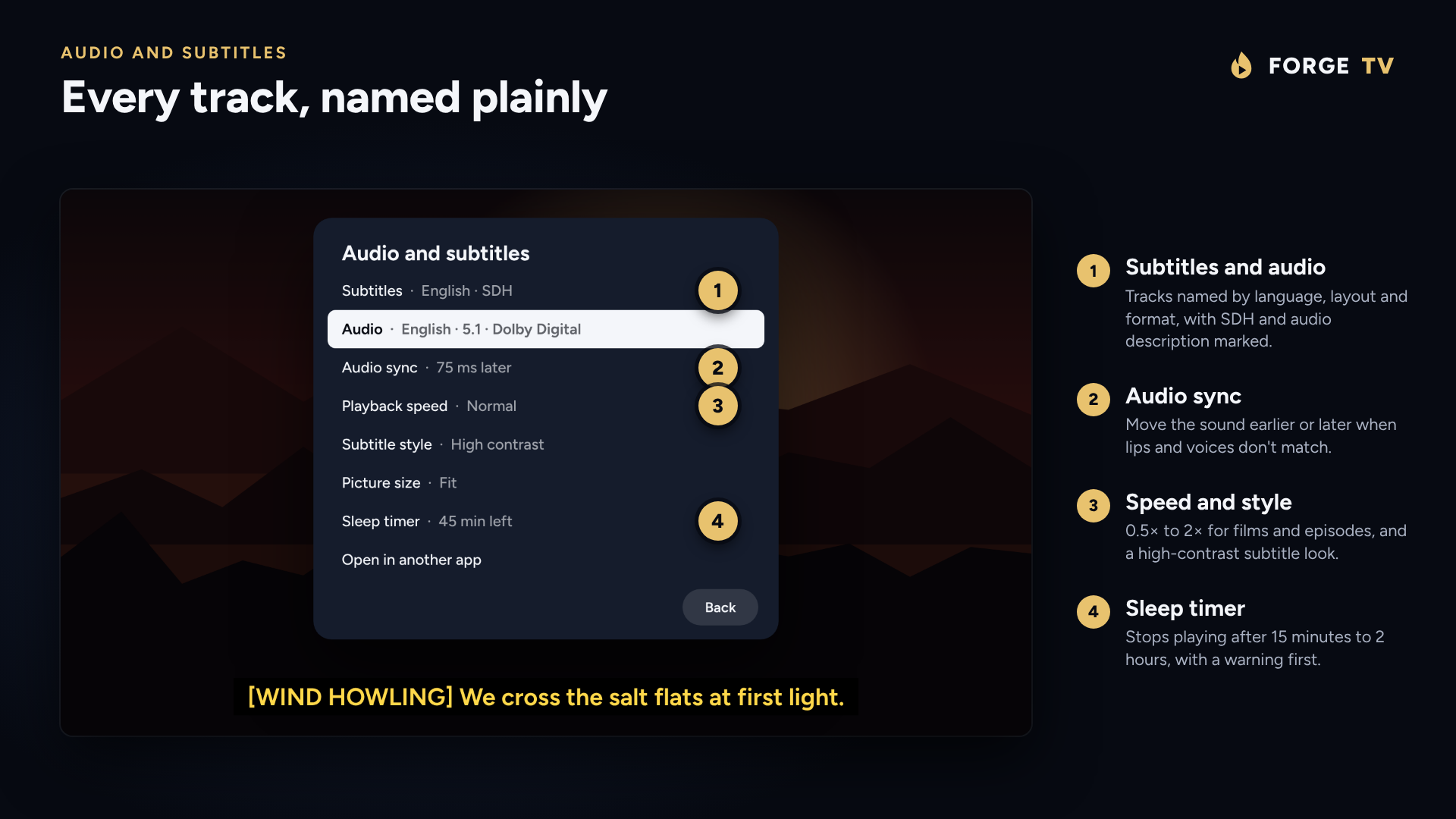
- Tracks named plainly, with SDH and audio description marked.
- Choices remembered for each film and series.
- Audio sync, and speed from 0.5× to 2×.
- High contrast and Large print subtitles.
- Dolby and DTS passed through to a soundbar.
Phone companion
- Pair by scanning a QR code on the TV.
- Add playlists and change settings from your phone.
- No app to install: it opens in the phone's browser.
Backup and restore
- Playlists, settings, favourites and profiles in one file.
- Restore on this TV or a new one.
- From a USB stick, a cloud drive or your phone.
Playback that keeps going
- Fast channel changes, with a choice of start-up buffer.
- Reconnects by itself when a stream drops.
- Match frame rate, picture size and subtitle style.
- Smooth live TV on phones too.
Your remote, your way
- Give the coloured buttons, or any other, a new job.
- A sleep timer from 15 minutes to 2 hours.
- Open Forge TV when the TV starts.
- Hand a channel to another player app.
Touch, mouse, VR and TalkBack
- Swipe to change channel, brightness and volume.
- Runs on Meta Quest, Android XR and Pico headsets.
- TalkBack reads the guide and the player's buttons.
Profiles and parental PIN
- Each profile keeps its own favourites and Continue watching.
- Optional "Who's watching?" when the app opens.
- A PIN locks whole categories.
Install
Up and running in minutes
Forge TV is installed as an APK. You only do this once; after that the app updates itself.
- DownloadGet the APK from the newest release, on the TV itself or on a computer.
- Copy it overUse a downloader app on the TV, a USB stick, or
adb installfrom a computer. - Allow itLet your device install apps from that source when Android asks ("Install unknown apps").
- Add your playlistAn M3U link, an M3U file or an Xtream Codes login, typed on the TV or sent from your phone.
Supported devices
Runs where you watch
Bring your own playlist
Forge TV is a player only. It does not include, sell or provide any channels, streams or content. You need your own M3U playlist or Xtream Codes login from a service you are entitled to use, and you are responsible for what you play with it.
Download for Android